Kubernetes Notes - Daemonsets
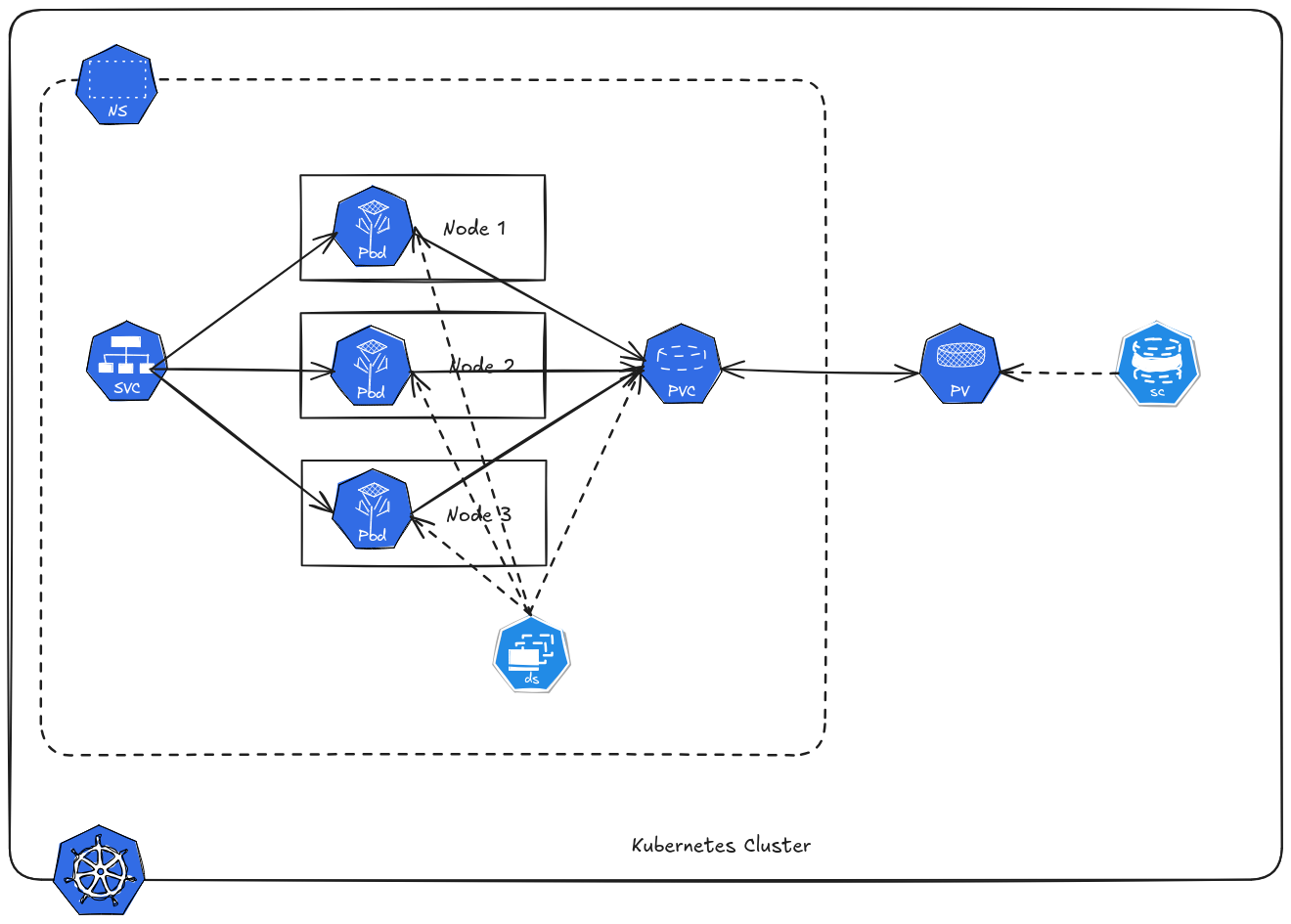 Kubernetes has multiple controllers to manage workloads. So far, we’ve learned about Deployments and StatefulSets, which help run Pods that scale and keep state.
However, some workloads must run on every node in a cluster — this is where DaemonSets come in.
Kubernetes has multiple controllers to manage workloads. So far, we’ve learned about Deployments and StatefulSets, which help run Pods that scale and keep state.
However, some workloads must run on every node in a cluster — this is where DaemonSets come in.
Table of Contents
Why Daemonsets?
Most Kubernetes workloads (like Deployments) allow Pods to run anywhere in the cluster. But some software needs to be present on every node — regardless of what Pods are running there.
These workloads must run on each worker node so that:
- Logs are collected on every node
- Node metrics are gathered from each node
- Networking components operate cluster‑wide
Example of Daemonsets Systems
- Logging agents
- Monitoring agents
- Networking plugins
- Security tools
Create Daemonsets
For this example let’s run prometheus node exporter. This is ideal since we want an exporter on every node, even if we add a new node in the K8S Cluster a pod will automatically be created.
But you can still use daemonset to deploy normal application like nginx, but this will be costly in resources - cause like we mentioned earlier pod is guaranteed to be created in each node.
 1apiVersion: apps/v1
 2kind: DaemonSet
 3metadata:
 4  labels:
 5    app.kubernetes.io/component: exporter
 6    app.kubernetes.io/name: node-exporter
 7  name: node-exporter
 8spec:
 9  selector:
10    matchLabels:
11      app.kubernetes.io/component: exporter
12      app.kubernetes.io/name: node-exporter
13  template:
14    metadata:
15      labels:
16        app.kubernetes.io/component: exporter
17        app.kubernetes.io/name: node-exporter
18    spec:
19      containers:
20      - args:
21        - --path.sysfs=/host/sys
22        - --path.rootfs=/host/root
23        - --no-collector.wifi
24        - --no-collector.hwmon
25        - --collector.filesystem.ignored-mount-points=^/(dev|proc|sys|var/lib/docker/.+|var/lib/kubelet/pods/.+)($|/)
26        - --collector.netclass.ignored-devices=^(veth.*)$
27        name: node-exporter
28        image: prom/node-exporter
29        ports:
30          - containerPort: 9100
31            protocol: TCP
32        volumeMounts:
33        - mountPath: /host/sys
34          mountPropagation: HostToContainer
35          name: sys
36          readOnly: true
37        - mountPath: /host/root
38          mountPropagation: HostToContainer
39          name: root
40          readOnly: true
41      volumes:
42      - hostPath:
43          path: /sys
44        name: sys
45      - hostPath:
46          path: /
47        name: root
Verify.
1kubectl get pods -n demo -o wide
2NAME                  READY   STATUS    RESTARTS      AGE     IP                NODE       NOMINATED NODE   READINESS GATES
3node-exporter-7dk77   1/1     Running   0             26s     172.16.241.97     master01   <none>           <none>
4node-exporter-9wqbj   1/1     Running   0             26s     172.16.59.227     master02   <none>           <none>
5node-exporter-rnbbk   1/1     Running   0             26s     172.16.235.12     master03   <none>           <none>
Notice that a pod is created on each node of the cluster.
Service
Daemonset use service like we use in pods and deployment. You might me wondering how Prometheus will identify and differentiate the pod on the nodes. Prometheus doesn’t rely on unique Services per pod. It discovers individual pod endpoints and labels.
Since pods run on different node, each pod has:
- pod
- node name
- pod name
- labels
Check endpoints.
1kubectl get endpoints -n demo
2NAME            ENDPOINTS                                                  AGE
3node-exporter   172.16.235.12:9100,172.16.241.97:9100,172.16.59.227:9100   3s
Each target = different node metrics.
Volume
Same with deployment.
Excluding Certain Nodes
You can prevent a DaemonSet from running on specific nodes. Note that is not exclusive to Daemonset, it is also applicable to other controller.
Node Taints
By default Control Plane Nodes are not schedulable - or simply cannot used to deploy pods.
To make a node unschedulable using a taint, you add a taint that prevents pods from scheduling unless they have a matching toleration.
1kubectl taint nodes <node-name> <key>=<value>:<effect>
2
3# example
4
5kubectl taint nodes master02 dedicated=experimental:NoSchedule
This means pods cannot be scheduled on master02 unless they tolerate dedicated=experimental.
To remove taint.
1kubectl taint nodes master02 dedicated=experimental:NoSchedule-
Node Affinity & Labels
We can also label nodes and use affinity rules.
Let’s demonstrate, first we label master02 and master03 with monitor=prom.
1kubectl label nodes master02 monitor=prom
2kubectl label nodes master03 monitor=prom
Edit daemonset YAML.
 1apiVersion: apps/v1
 2kind: DaemonSet
 3metadata:
 4  labels:
 5    app.kubernetes.io/component: exporter
 6    app.kubernetes.io/name: node-exporter
 7  name: node-exporter
 8spec:
 9  selector:
10    matchLabels:
11      app.kubernetes.io/component: exporter
12      app.kubernetes.io/name: node-exporter
13  template:
14    metadata:
15      labels:
16        app.kubernetes.io/component: exporter
17        app.kubernetes.io/name: node-exporter
18    spec:
19      affinity:
20        nodeAffinity:
21          requiredDuringSchedulingIgnoredDuringExecution:
22            nodeSelectorTerms:
23            - matchExpressions:
24              - key: monitor
25                operator: In
26                values:
27                - prom
28      containers:
29      - args:
30        - --path.sysfs=/host/sys
31        - --path.rootfs=/host/root
32        - --no-collector.wifi
33        - --no-collector.hwmon
34        - --collector.filesystem.ignored-mount-points=^/(dev|proc|sys|var/lib/docker/.+|var/lib/kubelet/pods/.+)($|/)
35        - --collector.netclass.ignored-devices=^(veth.*)$
36        name: node-exporter
37        image: prom/node-exporter
38        ports:
39          - containerPort: 9100
40            protocol: TCP
41        volumeMounts:
42        - mountPath: /host/sys
43          mountPropagation: HostToContainer
44          name: sys
45          readOnly: true
46        - mountPath: /host/root
47          mountPropagation: HostToContainer
48          name: root
49          readOnly: true
50      volumes:
51      - hostPath:
52          path: /sys
53        name: sys
54      - hostPath:
55          path: /
56        name: root
We added a affinity right after spec.
Check running pods.
1kubectl get pods -n demo -o wide
2NAME                  READY   STATUS    RESTARTS      AGE     IP                NODE       NOMINATED NODE   READINESS GATES
3node-exporter-lssxk   1/1     Running   0             69s     172.16.235.1      master03   <none>           <none>
4node-exporter-wm26p   1/1     Running   0             69s     172.16.59.228     master02   <none>           <none>
Now only master02 and master03 has the pod.
Anti-affinity
Avoid scheduling on the same node as other Pods.
 1spec:
 2  affinity:
 3    podAntiAffinity:
 4      requiredDuringSchedulingIgnoredDuringExecution:
 5      - labelSelector:
 6          matchExpressions:
 7          - key: app
 8            operator: In
 9            values:
10            - web
11        topologyKey: "kubernetes.io/hostname"
- Prevents the Pod from being scheduled on a node that already has a Pod with
app=web topologyKey: kubernetes.io/hostname ensures spreading across nodes
Node Selector
Node Selector is the simplest way to schedule a Pod on specific nodes based on labels.
- Each node can have labels, e.g.,
node-role=workerorenv=production - Pods declare a
nodeSelectorto request nodes with matching labels
 1apiVersion: v1
 2kind: Pod
 3metadata:
 4  name: node-selector
 5spec:
 6  containers:
 7  - name: nginx
 8    image: nginx
 9  nodeSelector:
10    env: production
The Pod will only be scheduled on nodes labeled env=production.