my tty
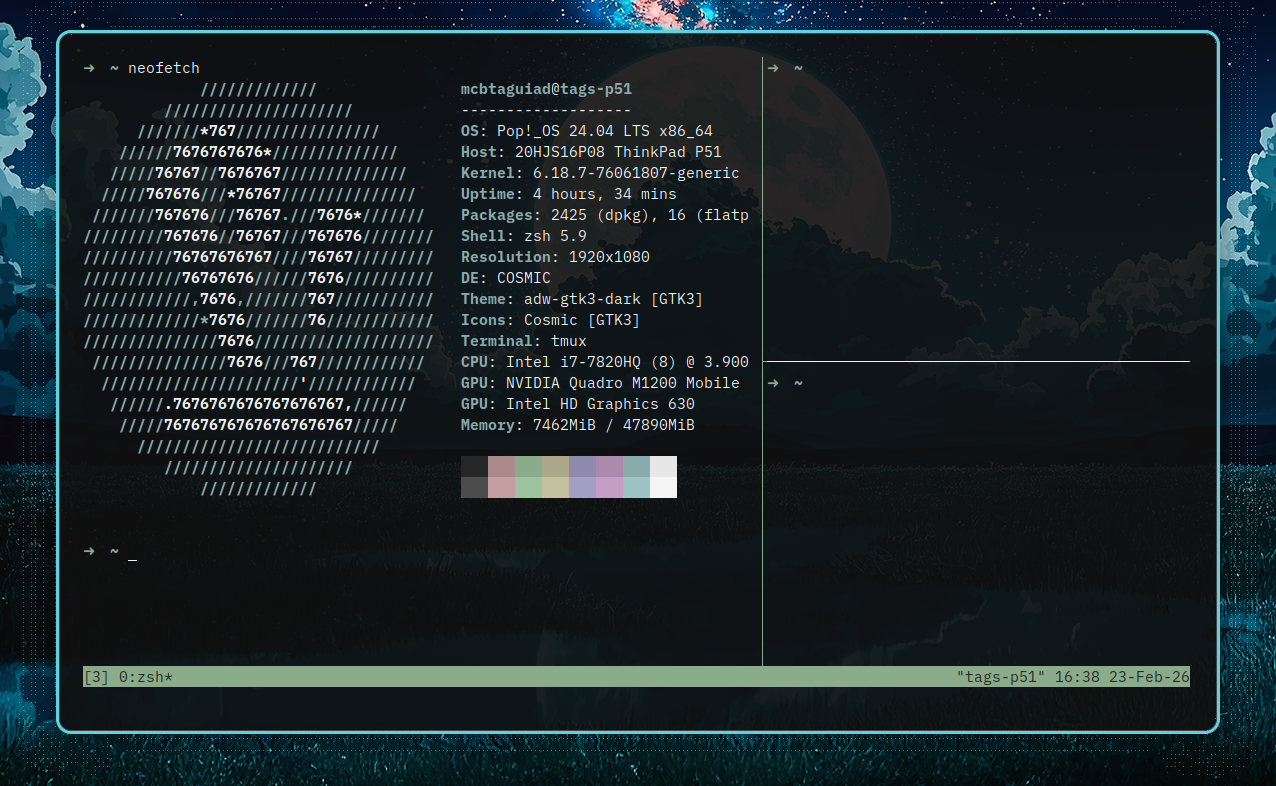
Table of Contents
terminal emulator
I recommend alacritty or kitty for terminal emulator - but you do you.
kitty
1apt install kitty
kitty.conf
 1# Theme
 2include mocha.conf
 3
 4# Transparency
 5background_opacity 0.85
 6
 7# Font
 8font_family IBM Plex Mono
 9font_size 10.0
10
11# Cursor
12cursor_shape beam
13
14# Padding
15window_padding_width 8
16
17hide_window_decorations yes
18
19wayland_titlebar_color background
20
21confirm_quit no
22
23confirm_os_window_close 0
24
25cursor_trail 3
For theme I’m using catppuccin mocha as theme. mocha.conf
 1# The basic colors
 2foreground              #cdd6f4
 3background              #1e1e2e
 4selection_foreground    #1e1e2e
 5selection_background    #f5e0dc
 6
 7# Cursor colors
 8cursor                  #f5e0dc
 9cursor_text_color       #1e1e2e
10
11# Scrollbar colors
12scrollbar_handle_color  #9399b2
13scrollbar_track_color   #45475a
14
15# URL color when hovering with mouse
16url_color               #f5e0dc
17
18# Kitty window border colors
19active_border_color     #b4befe
20inactive_border_color   #6c7086
21bell_border_color       #f9e2af
22
23# OS Window titlebar colors
24wayland_titlebar_color system
25macos_titlebar_color system
26
27# Tab bar colors
28active_tab_foreground   #11111b
29active_tab_background   #cba6f7
30inactive_tab_foreground #cdd6f4
31inactive_tab_background #181825
32tab_bar_background      #11111b
33
34# Colors for marks (marked text in the terminal)
35mark1_foreground #1e1e2e
36mark1_background #b4befe
37mark2_foreground #1e1e2e
38mark2_background #cba6f7
39mark3_foreground #1e1e2e
40mark3_background #74c7ec
41
42# The 16 terminal colors
43
44# black
45color0 #45475a
46color8 #585b70
47
48# red
49color1 #f38ba8
50color9 #f38ba8
51
52# green
53color2  #a6e3a1
54color10 #a6e3a1
55
56# yellow
57color3  #f9e2af
58color11 #f9e2af
59
60# blue
61color4  #89b4fa
62color12 #89b4fa
63
64# magenta
65color5  #f5c2e7
66color13 #f5c2e7
67
68# cyan
69color6  #94e2d5
70color14 #94e2d5
71
72# white
73color7  #bac2de
74color15 #a6adc8
alacritty
1apt install alacritty
~/.config/alacritty/alacritty.toml
 1[colors.bright]
 2black = "0x4c4c4c"
 3blue = "0xa39ec4"
 4cyan = "0x9ec3c4"
 5green = "0x9ec49f"
 6magenta = "0xc49ec4"
 7#orange = "0xceb188"
 8red = "0xc49ea0"
 9white = "0xf5f5f5"
10yellow = "0xc4c19e"
11
12[colors.cursor]
13cursor = "CellForeground"
14text = "CellBackground"
15
16[colors.normal]
17black = "0x262626"
18blue = "0x8f8aac"
19cyan = "0x8aabac"
20green = "0x8aac8b"
21magenta = "0xac8aac"
22#orange = "0xc6a679"
23red = "0xac8a8c"
24white = "0xe7e7e7"
25yellow = "0xaca98a"
26
27[colors.primary]
28background = "0x0f0f0f"
29foreground = "0xf0f0f0"
30
31[colors.search.focused_match]
32background = "0xadd7ff"
33foreground = "0x1b1e28"
34
35[colors.search.matches]
36background = "0xadd7ff"
37foreground = "0x1b1e28"
38
39[colors.selection]
40background = "0x303340"
41text = "CellForeground"
42
43[colors.vi_mode_cursor]
44cursor = "CellForeground"
45text = "CellBackground"
46
47[cursor]
48style = "Underline"
49vi_mode_style = "Underline"
50
51[env]
52TERM = "xterm-256color"
53WINIT_X11_SCALE_FACTOR = "1.0"
54
55[font]
56size = 11
57
58[font.bold]
59family = "IBM Plex Mono"
60style = "Bold"
61
62[font.glyph_offset]
63y = 0
64
65[font.italic]
66family = "IBM Plex Mono"
67style = "Italic"
68
69[font.normal]
70family = "IBM Plex Mono"
71style = "Regular"
72
73[font.offset]
74y = 0
75
76[scrolling]
77history = 1000
78multiplier = 3
79
80[window]
81decorations = "none"
82opacity = 0.9
83
84[window.dimensions]
85columns = 80
86lines = 35
87
88[window.padding]
89x = 24
90y = 24
zsh
I preffer not to complicate things, so let’s not reinvent the wheel. Use the script by ohmyzsh.
nixos
 1programs.zsh = {
 2    enable = true;
 3    ohMyZsh = {
 4      enable = true;
 5      plugins = [
 6        "git"
 7        "z"
 8      ];
 9      theme = "robbyrussell";
10    };
11  }
12``` #### other unix system
13```sh
14apt install zsh
15
16sh -c "$(curl -fsSL https://raw.githubusercontent.com/ohmyzsh/ohmyzsh/master/tools/install.sh)"
Edit ~/.zshrc to enable plugin and change theme.
tmux
installation
1apt install tmux
install TPM (tmux package manager)
Clone repo.
1git clone https://github.com/tmux-plugins/tpm ~/.tmux/plugins/tpm
Create tmux dotfile.
1touch ~/.config/tmux/tmux.conf
Then add this to your tmux config. ~/.config/tmux/tmux.conf
1set -g @plugin 'tmux-plugins/tpm'
2set -g @plugin 'tmux-plugins/tmux-sensible'
3
4run '~/.tmux/plugins/tpm/tpm'
Now run tmux. To intall and reload plugin use ctrl + b I.
tmux hierarchy
tmux has a three-level hierarchy:
- Session – the top-level container. A session can have multiple windows.
- Window – each session can have multiple windows, like tabs.
- Pane – each window can be split into multiple panes (horizontally or vertically).
Visually:
1Session: mysession
2└─ Window: editor
3   ├─ Pane: vim
4   └─ Pane: bash
5└─ Window: logs
6   └─ Pane: tail -f /var/log/syslog
Cheatsheet
These are just some of the commands I usually use, to know more about other (advance) command please visit this link.
session cheatsheet
Attach
| Key | Action |
|---|---|
| tmux | create new session |
| tmux new -s my-session | create new session |
| tmux ls | list session while outside tmux |
| tmux attach | attach to recent session |
| tmux attach -t my-session | attach to specific session |
| ctrl + b s | list session while inside session |
| ctrl + b ( or) | move to next or previous session |
Kill
| Key | Action |
|---|---|
| tmux kill-session -t my-session | kill specific session |
| tmux kill-session -a -t my-session | kill all except current session |
| ctrl + b $ | rename session |
| ctrl + b d | dettach from sessin |
window cheatsheet
| Key | Action |
|---|---|
| ctrl + b c | create new window |
| ctrl + b & | close current window |
| ctrl + b , | rename current window |
| ctrl + b w | list windows |
| ctrl + b n or p | next or previous window |
| ctrl + b 0 … 9 | switch window number |
| ctrl + b & | kill current window |
pane cheatsheet
| Key | Action |
|---|---|
| ctrl + b % | split window horizontal |
| ctrl + b " | split window vertical |
| ctrl + b arrow key | navigate panes (change focus) |
| ctrl + b { or } | swap panes |
| ctrl + b q 0 … 9 | swap panes using number key |
| ctrl + b z | toggle pane zoom |
| ctrl + b ! | convert pane into a window |
Configs and Plugins
I’ll remove other config and plugin in the sections below to better understand the config.
Start Your Tmux Window and Pane Index Count at 1 Instead of 0
~/.config/tmux/tmux.conf
 1set -g @plugin 'tmux-plugins/tpm'
 2set -g @plugin 'tmux-plugins/tmux-sensible'
 3
 4# Start windows and panes index at 1, not 0.
 5set -g base-index 1
 6setw -g pane-base-index 1
 7
 8# Ensure window index numbers get reordered on delete.
 9set-option -g renumber-windows on
10
11run '~/.tmux/plugins/tpm/tpm'
Use h j k l to Navigate Pane
set -g @plugin 'christoomey/vim-tmux-navigator'
~/.config/tmux/tmux.conf
 1set -g @plugin 'tmux-plugins/tpm'
 2set -g @plugin 'tmux-plugins/tmux-sensible'
 3
 4set -g @plugin 'christoomey/vim-tmux-navigator'
 5
 6# Jump directly to window 1-9
 7bind-key -n M-1 select-window -t 1
 8bind-key -n M-2 select-window -t 2
 9bind-key -n M-3 select-window -t 3
10bind-key -n M-4 select-window -t 4
11bind-key -n M-5 select-window -t 5
12bind-key -n M-6 select-window -t 6
13bind-key -n M-7 select-window -t 7
14bind-key -n M-8 select-window -t 8
15bind-key -n M-9 select-window -t 9
16
17run '~/.tmux/plugins/tpm/tpm'
Theme
~/.config/tmux/tmux.conf
1set -g @plugin 'tmux-plugins/tpm'
2
3# Theme - gruvbox
4set -g @plugin 'egel/tmux-gruvbox'
5# set desired theme options...
6set -g @tmux-gruvbox 'dark' # or 'dark256', 'light', 'light256'
7
8run '~/.tmux/plugins/tpm/tpm'
Update and Reload Tmux
source ~/.config/tmux/tmux.conf- open
tmux ctrl + b I- to reload
nixos
 1  programs.tmux = {
 2    enable = true;
 3    baseIndex = 1;
 4    newSession = true;
 5    # Stop tmux+escape craziness.
 6    escapeTime = 0;
 7    # Force tmux to use /tmp for sockets (WSL2 compat)
 8    secureSocket = false;
 9    clock24 = true;
10    historyLimit = 50000;
11
12    plugins = with pkgs; [
13      tmuxPlugins.better-mouse-mode
14      tmuxPlugins.catppuccin
15      tmuxPlugins.vim-tmux-navigator
16
17    ];
18
19    # Set your base tmux options
20    extraConfig = ''
21      # Vim-style pane navigation WITHOUT prefix
22      bind -n C-h select-pane -L
23      bind -n C-j select-pane -D
24      bind -n C-k select-pane -U
25      bind -n C-l select-pane -R
26
27      # Jump directly to window 1-9
28      bind-key -n M-1 select-window -t 1
29      bind-key -n M-2 select-window -t 2
30      bind-key -n M-3 select-window -t 3
31      bind-key -n M-4 select-window -t 4
32      bind-key -n M-5 select-window -t 5
33      bind-key -n M-6 select-window -t 6
34      bind-key -n M-7 select-window -t 7
35      bind-key -n M-8 select-window -t 8
36      bind-key -n M-9 select-window -t 9
37
38      # Theme plugins
39      set -g @plugin 'catppuccin/tmux#v2.1.3'
40      set -g @catppuccin_flavor 'mocha'
41    '';
42  };