Istio: mTLS and RBAC

Continuation of Kubernetes Istio, this time we’ll focus on Security.
Table of Contents
Security
mTLS (Mutual TLS)
This will ensure that service-to-service traffic is encrypted and authenticated.
Istio allows you to configure three main modes per namespace, workload, or globally:
| Mode | Behavior | When to Use |
|---|---|---|
| STRICT | Only allows mTLS-encrypted traffic. Plain HTTP connections are rejected. | Best for production when you want full security between services. |
| PERMISSIVE | Accepts both mTLS-encrypted and plain HTTP traffic. | Useful during gradual migration to mTLS. Old workloads can still communicate without encryption. |
| DISABLE | Does not use mTLS at all. | For testing, legacy workloads, or non-critical traffic. |
You might get confused with the HTTPS traffic, it just mean that all traffic are converted by istio envoy to mTLS. So as long as the request is going through first the sidecar then it is valid.
Let’s demonstrate that here. Deploy curl pod in universe namespace and curl backend-v2 service.
1kubectl create ns universe
2kubectl run curl-test -n universe -it --rm --image=curlimages/curl -- sh
3
4curl http://backend-v2.demo.svc.cluster.local:3000/api/version
5{"version":"2.0.0"}
Now create PeerAuthentication manifest for mtls.
mtls.yaml
1apiVersion: security.istio.io/v1
2kind: PeerAuthentication
3metadata:
4  name: demo-app-mtls
5spec:
6  mtls:
7    mode: STRICT
1kubectl create -f security/mtls.yaml -n demo
Verify mtls mode using istioctl, test on one of the running pod.
 1istioctl x describe pod backend-v1-8456d4864-h4fnm -n demo
 2Pod: backend-v1-8456d4864-h4fnm
 3   Pod Revision: default
 4   Pod Ports: 3000 (backend)
 5--------------------
 6Service: backend
 7   Port: http 3000/HTTP targets pod port 3000
 8--------------------
 9Service: backend-v1
10   Port: http 3000/HTTP targets pod port 3000
11--------------------
12Effective PeerAuthentication:
13   Workload mTLS mode: STRICT
14Applied PeerAuthentication:
15   demo-app-mtls.demo
Using the same curl pod, the request will fail.
1kubectl run curl-test -n universe -it --rm --image=curlimages/curl -- sh
2
3curl http://backend-v2.demo.svc.cluster.local:3000/api/version
4curl: (56) Recv failure: Connection reset by peer
Next test is injecting sidecar to the namespace.
1kubectl label namespace universe istio-injection=enabled
Deploy curl-test.
1kubectl run curl-test -n universe -it --rm --image=curlimages/curl -- sh
Verify, a istio sidecar pod is injected.
1kubectl get pods -n universe
2NAME        READY   STATUS    RESTARTS   AGE
3curl-test   2/2     Running   0          10s
Now access backend-v2 service with curl with a sidecar.
1curl http://backend-v2.demo.svc.cluster.local:3000/api/version
2{"version":"2.0.0"}
Curl can access backend-v2 service because request or traffic go through first the istio sidecar.
AuthorizationPolicy (RBAC)
To make traffic more secure we can add AutorozationPolicy, this will limit even namespaces with istio sidecar injected.
Take note, this is dependent on service account and matchLabels. Review the content of /kube manifest.
1kubectl get sa -n demo
2NAME                     AGE
3backend-sa               7h39m
4default                  13h
5demo-app-gateway-istio   62m
6frontend-sa              7h39m
7monitor-sa               7h39m
8redis-sa                 7h39m
For this example let’s limit access to backend, only monitor can only access backend
First lets create read access only.
rbac-read-monitor-to-backend.yaml
 1apiVersion: security.istio.io/v1
 2kind: AuthorizationPolicy
 3metadata:
 4  name: read-monitor-to-backend
 5spec:
 6  selector:
 7    matchLabels:
 8      app: backend
 9  action: ALLOW
10  rules:
11  - from:
12    - source:
13        principals:
14        - "cluster.local/ns/demo/sa/monitor-sa"
15        - "cluster.local/ns/demo/sa/demo-app-gateway-istio"
16    to:
17    - operation:
18        methods: ["GET", "POST"]
19        paths:
20        - "/api/login"
21        - "/api/version"
22        - "/api/users"
23        - "/api/users/*" # delete user
1kubectl create -f security/mtls/rbac/rbac-read-monitor-to-backend.yaml -n demo
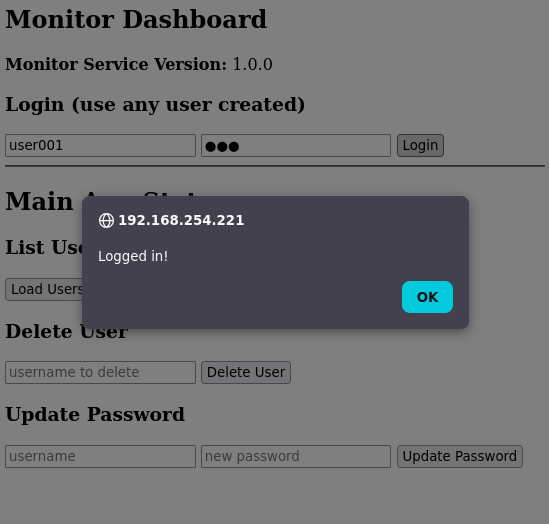
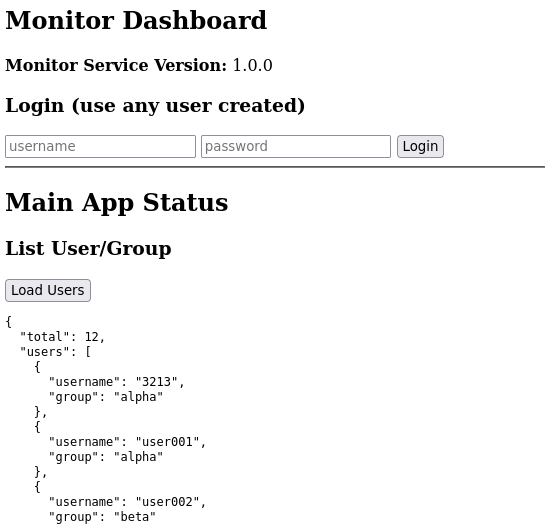
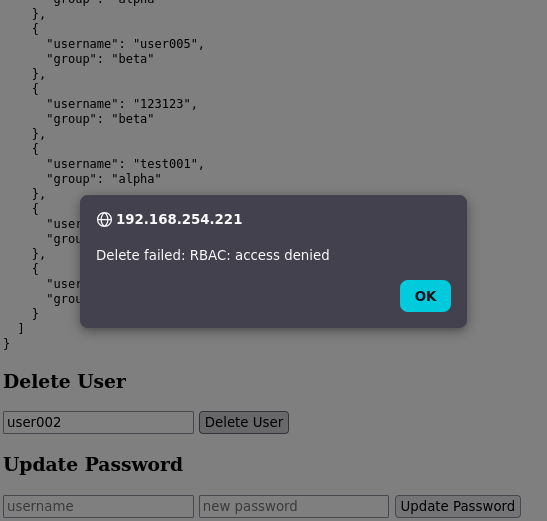
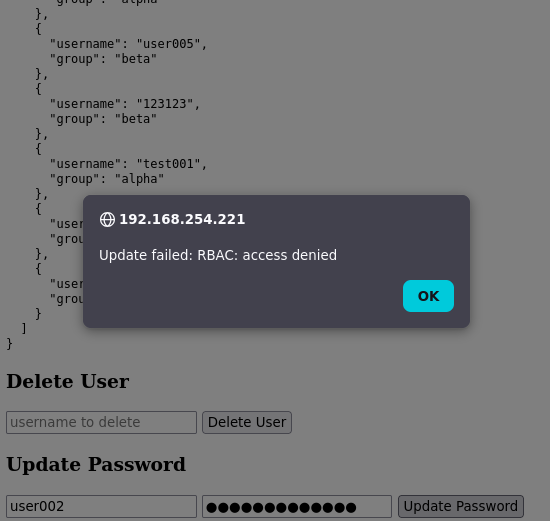
Verify on http://192.168.254.221/app.
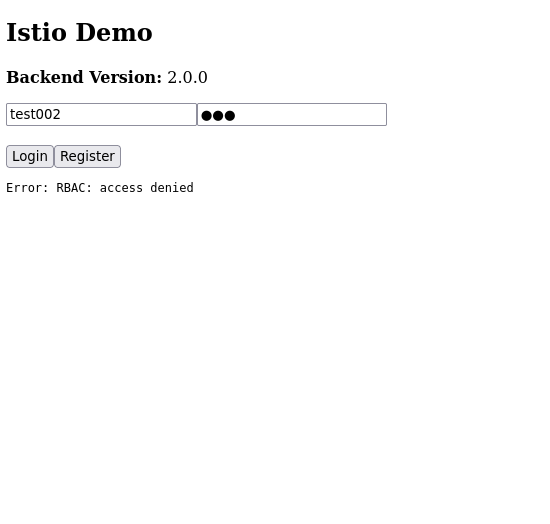
To make frontend and monitor have read/write access to backend add this new rule.
rbac-readwrite-monitor-to-backend.yaml
 1---
 2apiVersion: security.istio.io/v1
 3kind: AuthorizationPolicy
 4metadata:
 5  name: read-write-monitor-to-backend
 6spec:
 7  selector:
 8    matchLabels:
 9      app: backend
10  action: ALLOW
11  rules:
12  - from:
13    - source:
14        principals:
15        - "cluster.local/ns/demo/sa/monitor-sa"
16        - "cluster.local/ns/demo/sa/demo-app-gateway-istio"
17    to:
18    - operation:
19        methods: ["GET", "POST", "DELETE", "PUT"]
20        paths:
21        - "/api/login"
22        - "/api/version"
23        - "/api/users"
24        - "/api/users/*" # delete user
1kubectl create -f security/mtls/rbac/rbac-readwrite-monitor-to-backend.yaml -n demo
rbac-read-frontend-to-backend.yaml
 1---
 2apiVersion: security.istio.io/v1
 3kind: AuthorizationPolicy
 4metadata:
 5  name: read-write-frontend-to-backend
 6spec:
 7  selector:
 8    matchLabels:
 9      app: backend
10  action: ALLOW
11  rules:
12  - from:
13    - source:
14        principals:
15        - "cluster.local/ns/demo/sa/frontend-sa"
16        - "cluster.local/ns/demo/sa/demo-app-gateway-istio"
17    to:
18    - operation:
19        methods: ["GET", "POST", "DELETE", "PUT", "OPTIONS"]
20        paths:
21        - "/api/register"
22        - "/api/login"
23        - "/api/profile"
24        - "/api/version"
25        - "/api/users"
1kubectl create -f security/mtls/rbac/rbac-readwrite-frontend-to-backend.yaml -n demo