Kubernetes Multi-Tenancy

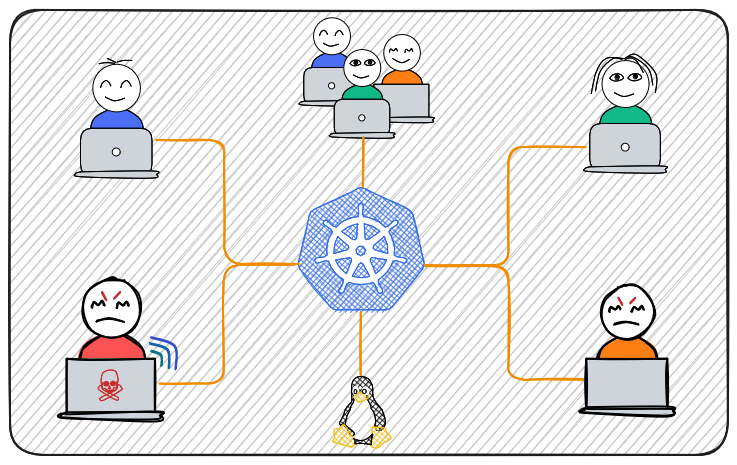
Multi-tenancy in Kubernetes is the practice of running multiple users, teams, or customers (tenants) on a shared cluster while keeping them isolated, secure, and fairly resourced.
At first glance, it sounds simple—just create namespaces and you’re done. In reality, building a safe multi-tenant platform requires layering multiple controls together.
Table of Contents
Overview
Let’s assign team web-dev to namespace web.
The following resources will be created:
- Access Control (RBAC)
- Resource Allocation
- Network Isolation
- Policy Enforcement
User Creation
Check my previous post.
1./create-user-k8s.sh web-dev web-dev 7 d
Access Control
Let’s use ClusterRole that will be reusable by multiple user/team.
clusterrole.yaml
 1apiVersion: rbac.authorization.k8s.io/v1
 2kind: ClusterRole
 3metadata:
 4  name: tenant-clusterrole
 5rules:
 6  - apiGroups: [""]
 7    resources: ["pods", "services", "configmaps", "persistentvolumeclaims"]
 8    verbs: ["get", "list", "watch", "create", "update", "delete"]
 9
10  - apiGroups: ["apps"]
11    resources: ["deployments", "replicasets", "statefulsets"]
12    verbs: ["get", "list", "watch", "create", "update", "delete"]
13
14  - apiGroups: ["batch"]
15    resources: ["jobs", "cronjobs"]
16    verbs: ["get", "list", "watch", "create", "update", "delete"]
You can fine tune this depending on your requirements:
- add secret policy
- add network policy
- add ingresses
1- apiGroups: ["networking.k8s.io"]
2  resources: ["ingresses"]
3  verbs: ["get", "list", "watch", "create", "update", "delete"]
rolebinging.yaml
 1apiVersion: rbac.authorization.k8s.io/v1
 2kind: RoleBinding
 3metadata:
 4  name: web-rolebinding
 5  namespace: web
 6subjects:
 7  - kind: User
 8    name: web-dev
 9    apiGroup: rbac.authorization.k8s.io
10roleRef:
11  kind: ClusterRole
12  name: tenant-clusterrole
13  apiGroup: rbac.authorization.k8s.io
Resource Allocation
Prevents tenant from exhausting cluster resources.
resourcequota.yaml
 1apiVersion: v1
 2kind: ResourceQuota
 3metadata:
 4  name: web-quota
 5  namespace: web
 6spec:
 7  hard:
 8    pods: "10"
 9    requests.cpu: "2"
10    requests.memory: "2Gi"
11    limits.cpu: "4"
12    limits.memory: "4Gi"
13    persistentvolumeclaims: "5"
In you applications limit your pods/container using resources request and limits.
demo.yaml
 1apiVersion: apps/v1
 2kind: Deployment
 3metadata:
 4  labels:
 5    app: redis
 6  name: redis
 7spec:
 8  replicas: 1
 9  selector:
10    matchLabels:
11      app: redis
12  template:
13    metadata:
14      labels:
15        app: redis
16    spec:
17      containers:
18      - name: redis
19        image: docker.io/bitnami/redis:latest
20        imagePullPolicy: Always
21        ports:
22        - containerPort: 6379
23        resources:
24          limits:
25            memory: 500Mi
26            cpu: 500m
27          requests:
28            memory: 250Mi
29            cpu: 250m
30        envFrom:
31        - configMapRef:
32            name: redis.environment
33      restartPolicy: Always
| Concept | Meaning |
|---|---|
| Request | Minimum guaranteed |
| Limit | Maximum allowed |
| Actual usage | Can vary between them |
NetworkPolicy
networkpolicy.yaml
Default deny all ingress + egress.
 1apiVersion: networking.k8s.io/v1
 2kind: NetworkPolicy
 3metadata:
 4  name: default-deny-all
 5  namespace: web
 6spec:
 7  podSelector: {}
 8  policyTypes:
 9    - Ingress
10    - Egress
Allow traffic only within same namespace.
 1apiVersion: networking.k8s.io/v1
 2kind: NetworkPolicy
 3metadata:
 4  name: allow-same-namespace
 5  namespace: web
 6spec:
 7  podSelector: {}
 8  ingress:
 9    - from:
10        - podSelector: {}
11  egress:
12    - to:
13        - podSelector: {}
14  policyTypes:
15    - Ingress
16    - Egress
Allow outbound internet access (DNS + HTTP/HTTPS).
 1apiVersion: networking.k8s.io/v1
 2kind: NetworkPolicy
 3metadata:
 4  name: allow-external-egress
 5  namespace: web
 6spec:
 7  podSelector: {}
 8  egress:
 9    - to:
10        - namespaceSelector: {}  # allow cluster DNS
11      ports:
12        - protocol: UDP
13          port: 53
14    - to:
15        - ipBlock:
16            cidr: 0.0.0.0/0
17      ports:
18        - protocol: TCP
19          port: 80
20        - protocol: TCP
21          port: 443
22  policyTypes:
23    - Egress